🏗️ Create Profile
How to Create a Profile
Step 1: Open Argus
Open Argus via Telegram
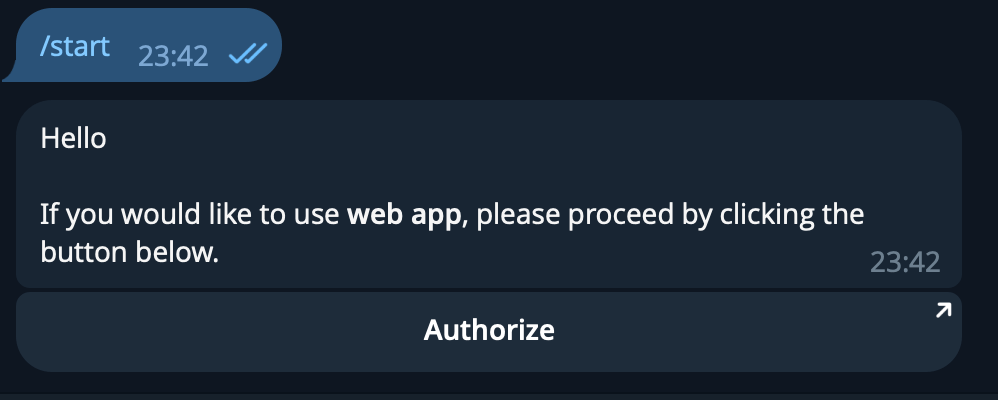
- After initially selecting "Start", click "Authorize" from the message sent by the bot. A popup will appear asking if you wish to open the link, select "Open".
- Your browser will now open the main dashboard, which may look empty if you haven't created any profiles yet.
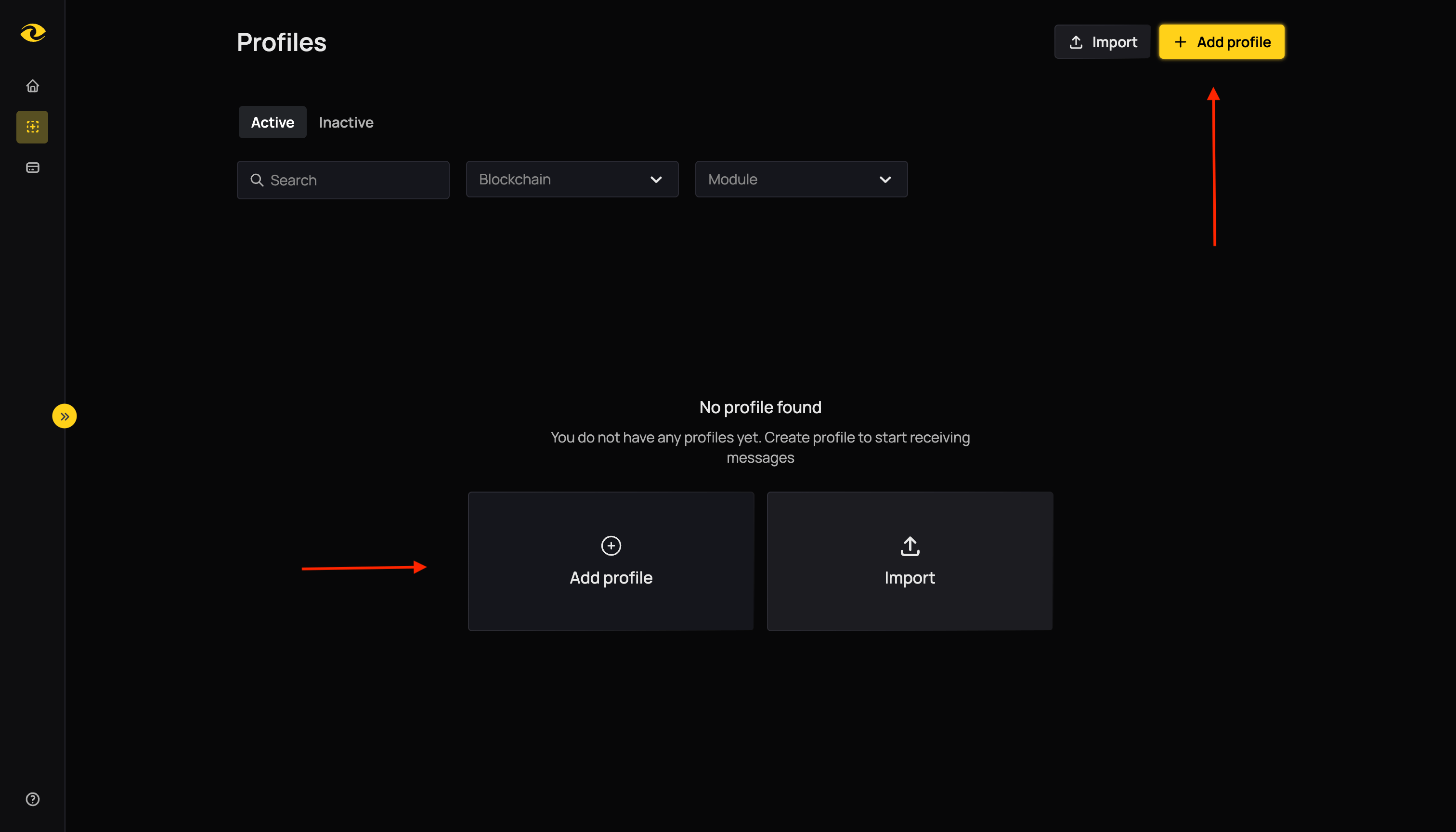
Step 2: Access Profile Creation
Click the Add Profile button. This button appears in the center of the page if you have no profiles, or in the top-right corner if you already have profiles.
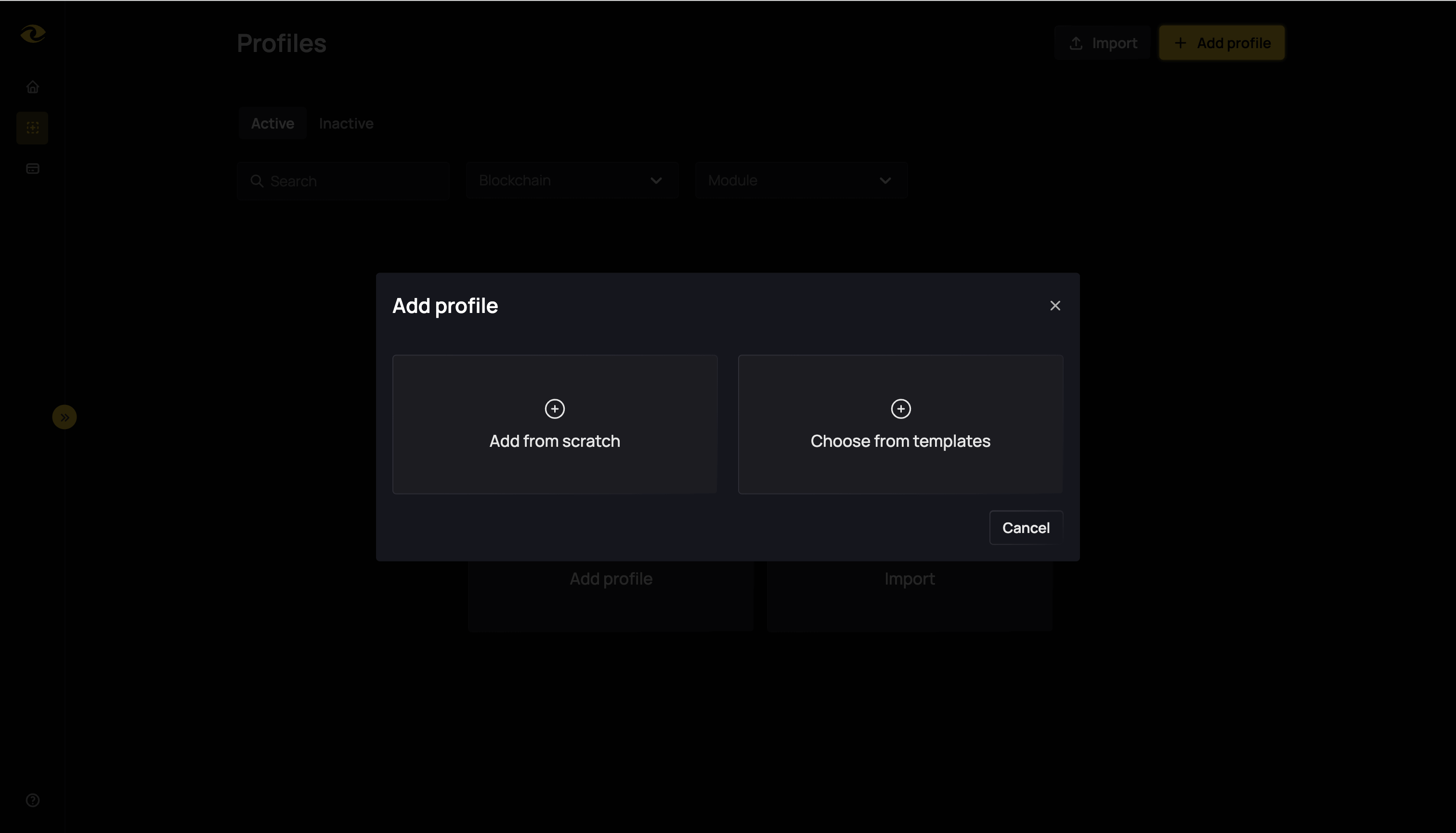
Step 3: Choose Creation Method
A modal will open showing two options: "Add from Scratch" and "Choose from templates".
Option A: Create Profile from Template
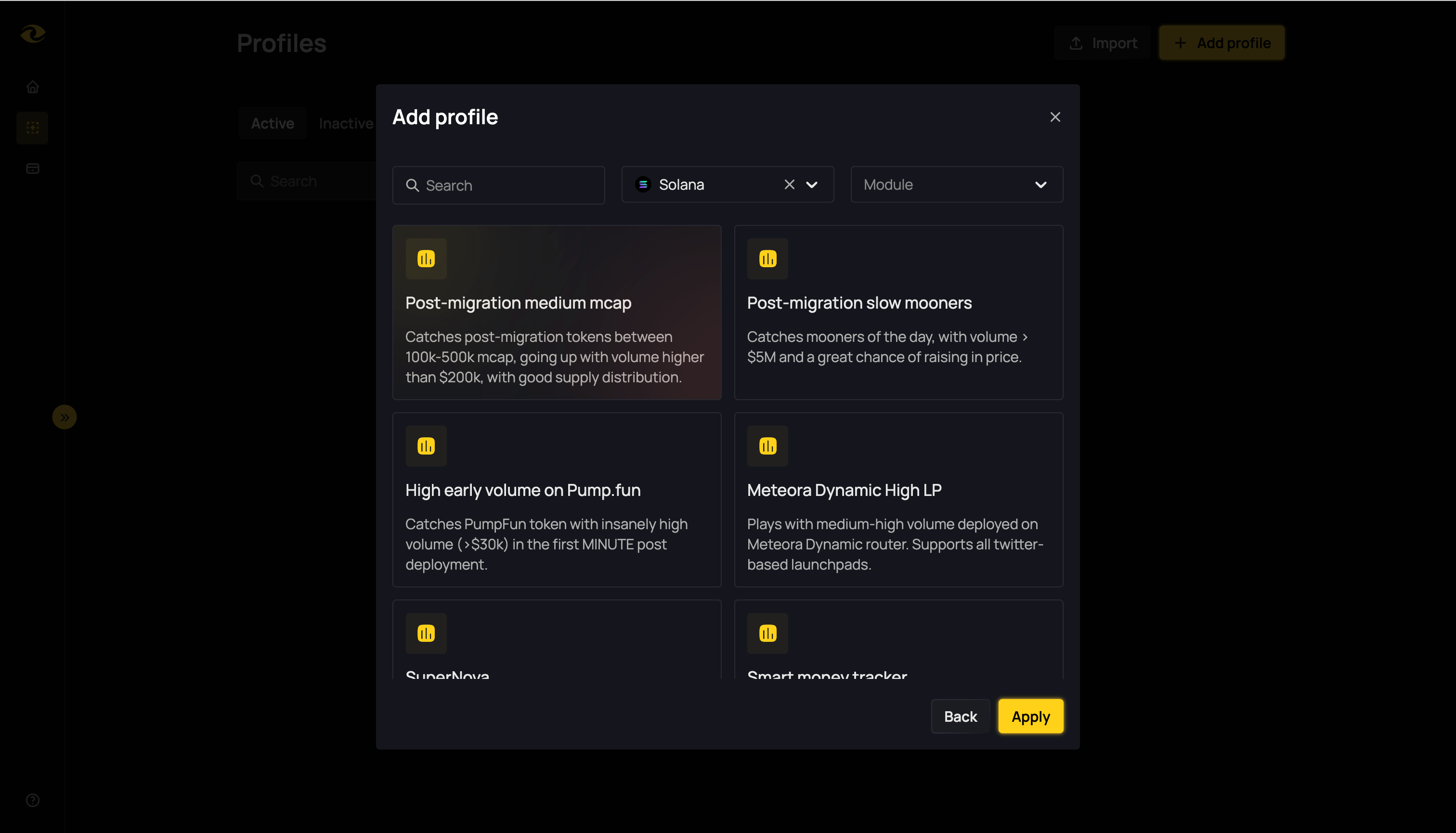
Step 4: Select Template
Click "Choose from templates" in the modal. A list of available pre-configured profile templates will be displayed. Browse through the options and click on the template that best fits your needs.
Step 5: Profile Ready
Once you click on a template, your profile is ready to use. You can expect to receive alerts soon in the Telegram Bot.
Option B: Create Profile from Scratch
Step 4: Fill Profile Details
Click "Add from Scratch" in the modal. A form will be displayed with the following fields:
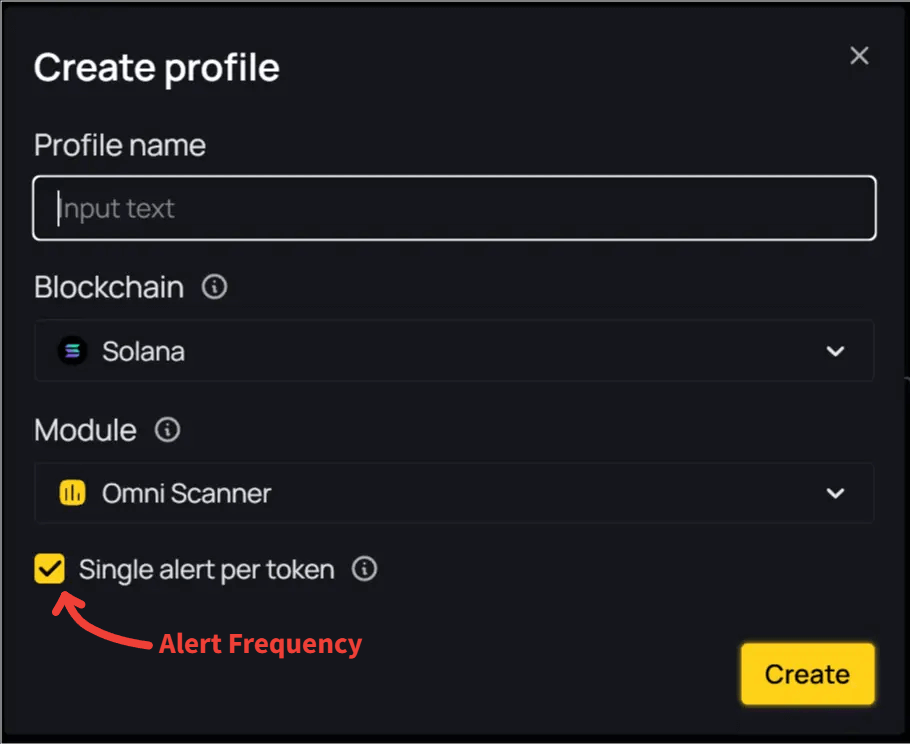
- Profile Name - Enter a descriptive name for your profile
- Blockchain - Choose the blockchain you want to monitor from the dropdown
- Module - Choose the detection module to use from the dropdown
- Single Alert Per Token - Check this box to receive only one alert per token
Step 5: Create Profile
Fill in all the required fields and click the "Create" button.
Step 6: Profile Setup
- If the module is OmniScanner: You will be redirected to the profile builder page where you need to set up filters. More details on the next page in the guide.
- For other modules: The profile is ready to use, and you can expect to receive alerts soon in the Telegram Bot.
Next Steps
After creating a profile, select it to set up your filters. For detailed information on the filters and configurations of each module:
BSC Modules:
Ethereum Modules:
Solana Modules:
Start with a single profile if you're new, then experiment with more profiles and filter sets as you grow comfortable. This will help keep things clear and manageable, allowing you to see which created profiles are working best for you.