👁️ The OmniScanner (Ethereum)
OmniScanner is Argus's primary module for Ethereum, identifying trading opportunities based on a token's volume, market cap, liquidity, investors and many other metrics. OmniScanner can be used to create many different profiles for any trading strategy, no matter how niche.
Example Profiles
OmniScanner's flexibility allows you to create specialized profiles for various trading strategies:
- Reversal Tracker: Monitor tokens showing signs of trend reversal with increasing volume and price momentum
- Early Rising Volume: Detect tokens experiencing sudden volume spikes before major price movements
- Whale Watcher: Track tokens with significant whale activity and large holder movements
How Alerts Look
When OmniScanner detects a token that matches your filter criteria, you'll receive a comprehensive alert showing:
- Token Information: Name, contract address, and current status
- Financial Metrics: Market cap, all-time high, liquidity, and volume
- Security Details: Honeypot status, contract verification, taxes, clog, and transaction limits
- Holder Analysis: Distribution of holdings across different wallet tiers
- Trading Links: Quick access to charts, explorers, and trading platforms
- Real-time Data: All metrics are updated at the moment of detection
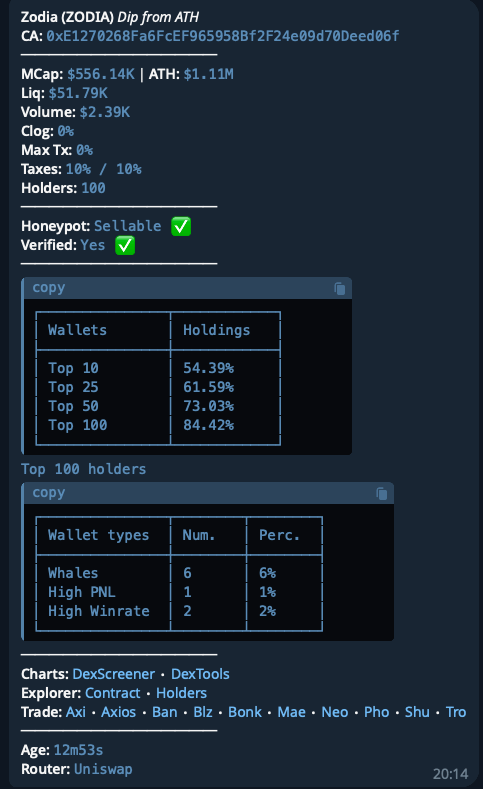
The alert above shows a complete example of what you'll see when OmniScanner identifies a trading opportunity that meets your profile's criteria.
Alerts can be customized to show only the information you need. You can choose which fields to display, adjust the format, and control the level of detail. Learn more about customizing your alerts.
How to Add Filters
To add a filter, simply drag it to the center panel (or click the + symbol) — each addition updates the Alert Preview on the right, giving a real-time view of how alerts will appear. To remove a filter, click the rubbish bin on its top right corner.
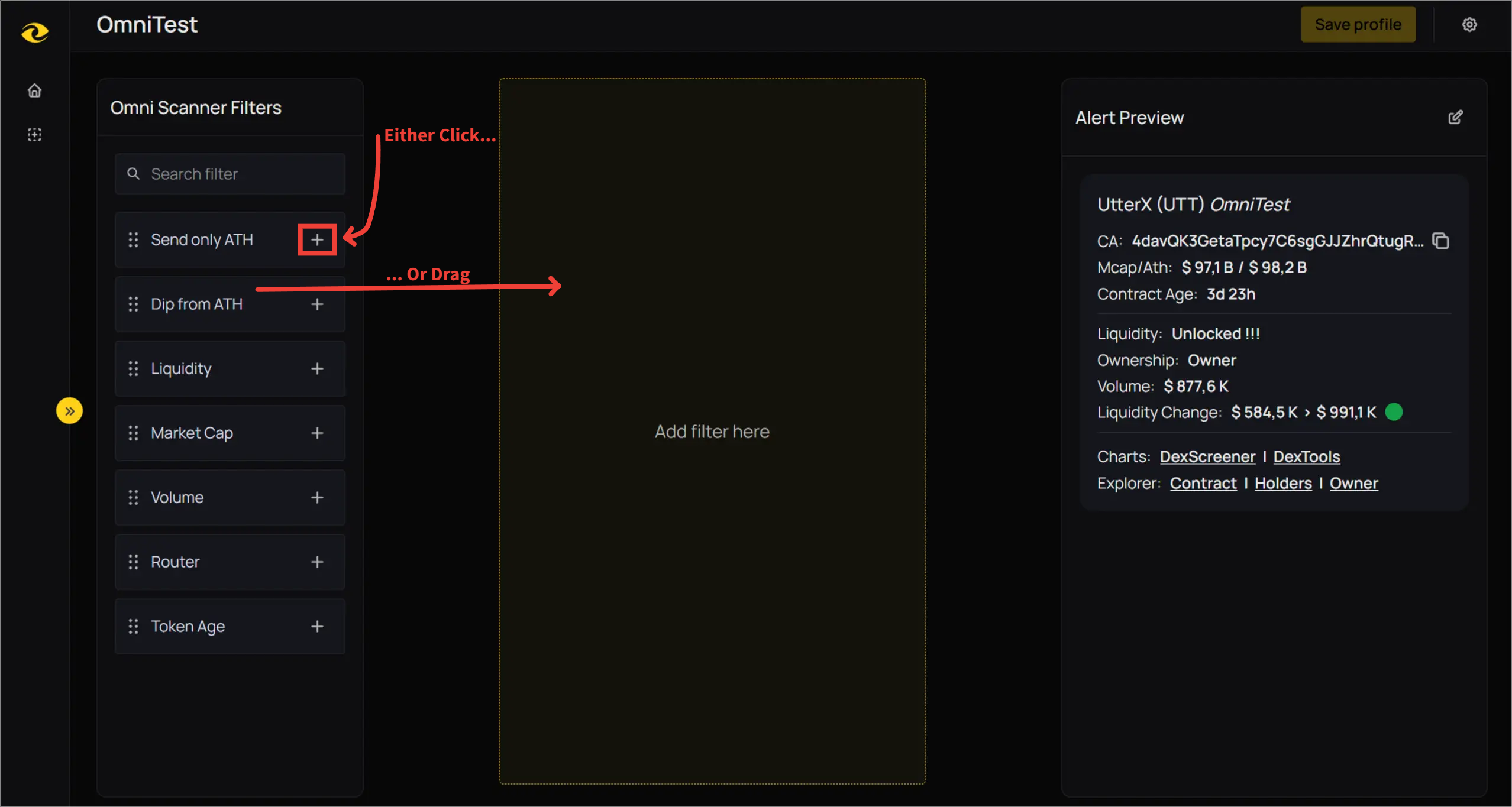 For Adding Filters
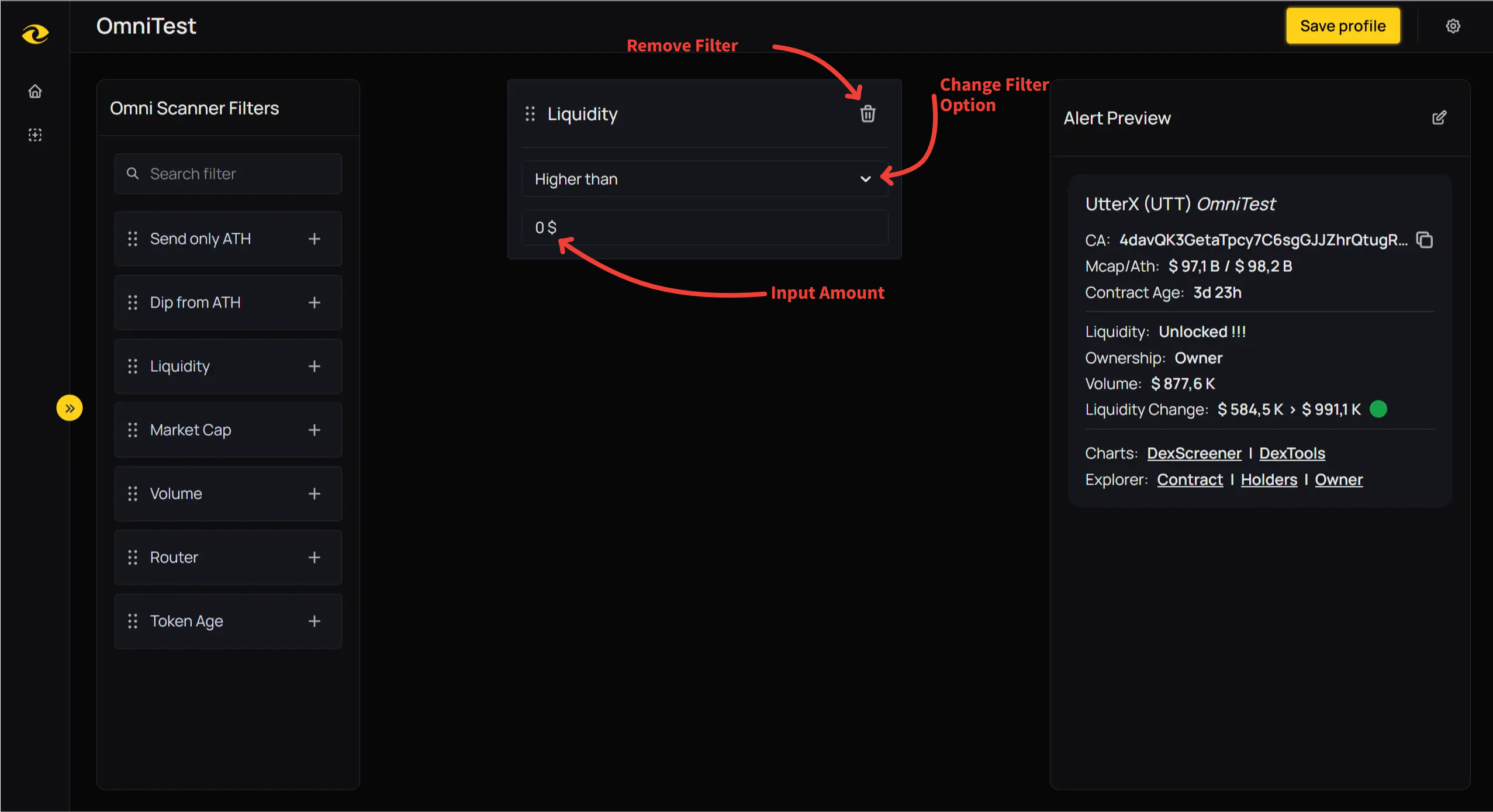 For Removing and Changing Filters
Some filters can be added multiple times to apply different conditions simultaneously. For example, you could have two volume filters added, one ensuring only tokens with 100k or more volume appear, and the other narrowing this down further by only allowing these tokens if their volume has increased by 10% in the past 15 minutes. Filters able to be added more then once will be marked with 🔄 in the guide.
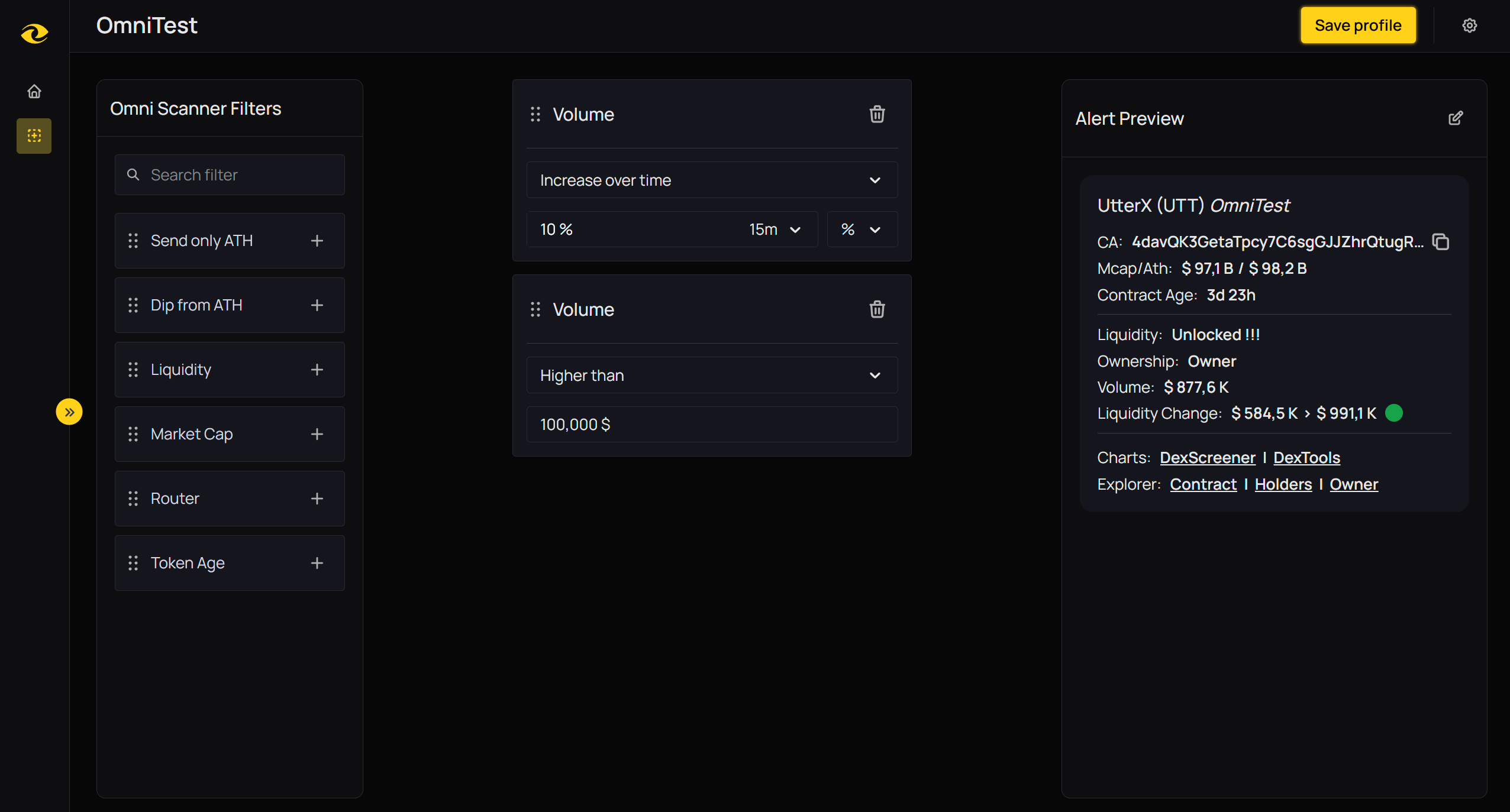 An Example of a Profile Using the Same Filter Twice
The current filters for the Ethereum OmniScanner, what they are and how they may be used are detailed on the next page.